
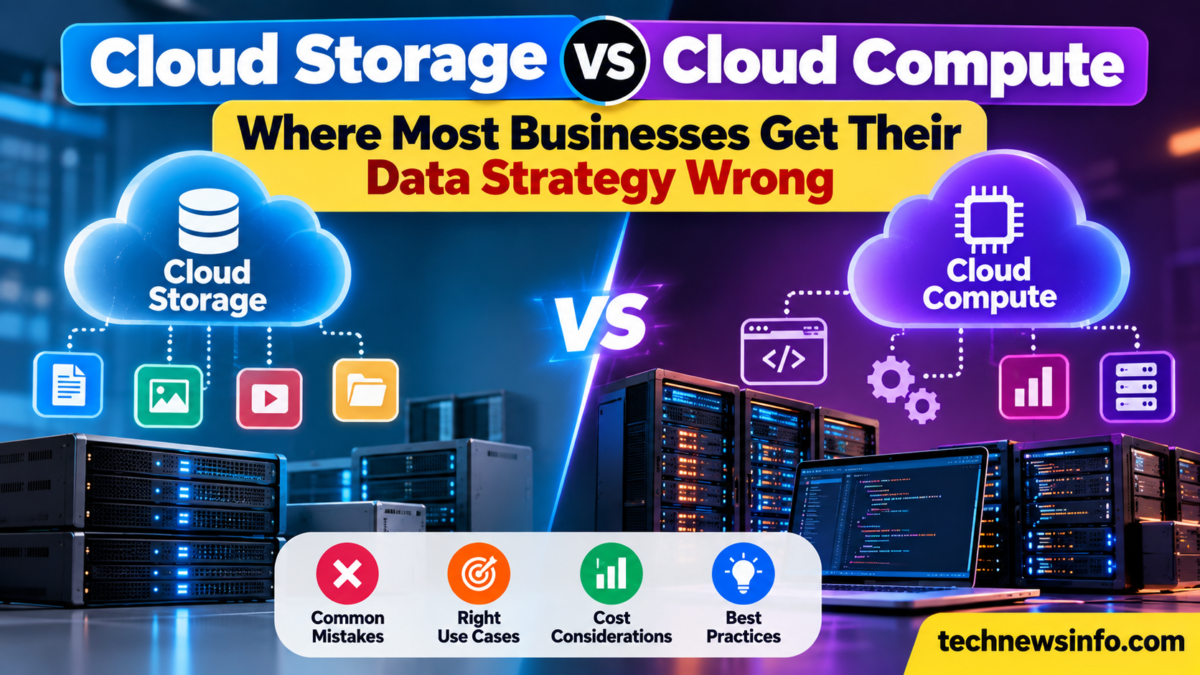
Cloud storage and cloud compute are often planned as separate parts of an IT budget.
One team looks at where files and databases should live. Another team looks at CPU, memory, or GPU capacity. The real workload depends on how data moves between these two layers.
A good data strategy connects storage, compute, networking, and location. When these parts are planned together, applications can access data faster, scale more smoothly, and control transfer costs.
What is the difference between cloud storage and cloud compute?
Cloud storage holds data. Cloud compute processes it.
Storage can contain application files, databases, backups, logs, media, AI datasets, and model checkpoints.
Compute provides the processing resources used by applications. This can include virtual CPUs, memory, GPUs, and other server resources.
A business may store a dataset in one cloud service and process it on another compute instance. The performance of that setup depends on how efficiently the data moves between them.
Why should storage and compute be planned together?
A database stores customer records, while application servers read and update them. An AI training job reads large datasets from storage and sends them to GPU instances. A video platform stores media files and moves them to processing servers for encoding.
Teams should ask:
- Where is the data stored?
- Where does compute run?
- How much data moves between them?
- How often does that movement happen?
- How quickly does the application need access?
- What does the transfer cost?
These questions connect infrastructure design with real workload behavior.
How does data location affect application performance?
Distance matters inside cloud infrastructure.
When storage and compute are in the same region, data can travel along a shorter path. This can help applications that repeatedly move large amounts of data, including AI training, video processing, analytics, and large databases.
A team should map out where each part of the workload runs before choosing storage and compute resources.
Why does network design matter for cloud data?
Networking connects storage, compute, databases, and users.
A virtual private cloud provides businesses with an isolated cloud network in which applications, databases, and other resources can communicate via defined routes and access rules.
This can help teams organize workloads across separate subnets and control which systems can reach one another.
For example:
- Public application servers can receive user traffic
- Private services can communicate internally
- Databases can stay inside restricted network segments
- Storage services can connect to approved workloads
This creates a clearer structure around how data moves through the environment.
How can storage performance affect cloud compute?
Powerful compute resources depend on timely access to data.
A GPU training job can spend time waiting for data to arrive from storage. A database application can slow down when storage performance falls behind request volume. A video processing system can build a queue when large files move slowly.
Teams should look at:
- Read speed: How quickly can the workload access stored data?
- Write speed: How quickly can results, logs, or checkpoints be saved?
- Latency: How quickly does each storage request receive a response?
- Throughput: How much data can move during a given period?
These details help match storage with the compute workload.
How do data transfer costs affect cloud strategy?
Data movement can create a separate line item on the cloud bill.
Transfers between regions, services, or external destinations may carry network charges depending on the provider and architecture.
Before choosing a setup, estimate:
- Data transferred each day
- Data transferred between regions
- Backup movement
- User downloads
- Dataset movement
- Replication traffic
This gives teams a clearer view of ongoing infrastructure cost.
Why do AI workloads make storage and compute planning more important?
AI systems often work with large datasets and specialized compute.
Training may use large volumes of images, text, audio, or video. Fine-tuning can use model checkpoints and training data. Inference can depend on databases and application data.
AI teams should measure dataset size, storage throughput, GPU utilization, data loading time, network traffic, and total job duration.
These measurements show whether the wider pipeline can efficiently supply compute resources with data.
How should businesses choose storage for different workloads?
Different data types need different storage approaches.
- Active application data: Prioritize fast access and reliability.
- Backups: Focus on durability, retention, and recovery requirements.
- Media files: Plan around capacity, throughput, and delivery.
- AI datasets: Consider dataset size, access speed, and proximity to GPU compute.
- Logs: Plan around retention, search, and regular write activity.
Choosing storage by workload makes the wider data strategy easier to manage.
How should cloud compute be sized around the data?
Compute should match the amount of processing the application needs.
A database-backed application may rely mainly on CPU and memory. An AI workload may need GPUs. A media service may combine CPU, GPU, and video processing.
Useful measurements include:
- CPU utilization
- Memory use
- GPU utilization
- GPU memory
- Request volume
- Processing time
- Data transfer
These metrics show where additional resources can improve the application and where current capacity fits the workload.
How can businesses build a better cloud data strategy?
Start with the complete path from stored data to final output.
- Map the data: Identify where important datasets, files, and databases live.
- Map the compute: Record which applications and processors use that data.
- Measure movement: Track how much information moves between services and regions.
- Review networking: Make sure routes and access rules support the required data flow.
- Check costs: Include compute, storage, transfer, backup, and network charges.
- Plan growth: Estimate how data volume and processing demand may change.
This gives teams a single view of the infrastructure and makes future scaling easier to plan.
Conclusion
Cloud storage and cloud compute work best as parts of the same data strategy.
Storage determines where information lives and how quickly it can be accessed. Compute determines how that information is processed. Networking connects the two and controls how data moves through the environment.
Businesses can make stronger cloud decisions by planning all three together. Map the workload, measure the data flow, and choose infrastructure around the full path from storage to processing.
Frequently asked questions
What is the main difference between cloud storage and cloud compute?
Cloud storage holds data, while cloud compute provides the processing resources used to run applications and workloads.
Why should storage and compute be in the same cloud region?
Keeping them close can reduce network distance and simplify data movement for workloads that frequently access storage.
How does a virtual private cloud help data strategy?
A virtual private cloud creates an isolated network where teams can organize resources, control routes, and define how applications, databases, and other services communicate.
Can storage performance affect GPU workloads?
Yes. AI and GPU workloads often need fast access to large datasets. Storage throughput and data loading speed can affect how efficiently the GPU is used.
What should businesses measure in a cloud data strategy?
Useful measurements include storage throughput, latency, CPU and GPU utilization, network traffic, data transfer volume, processing time, and total infrastructure cost.